
Скачать TI Connect – графический калькулятор, программное обеспечение для калькулятора, STEM-образование
Обзор
Ti Connect, разработанный Texas Instruments, представляет собой специализированный программный инструмент, предназначенный для преодоления разрыва между графическими калькуляторами и персональными компьютерами. Его основная цель – упростить передачу данных, обновление программного обеспечения и управление файлами между графическим калькулятором и ПК. Это приложение особенно ценно для студентов, преподавателей и профессионалов в областях STEM, которые используют продвинутые калькуляторы для сложных математических вычислений, решения уравнений и графического анализа. Подключаясь через кабель TI-GRAPH LINK USB, пользователи могут бесшовно синхронизировать свои устройства, обеспечивая актуальность калькуляторов с последними версиями операционной системы и приложений.
Приложение решает типичные проблемы, такие как ручной ввод данных, устаревшее программное обеспечение и неэффективное управление файлами. Реальные сценарии использования включают передачу сохранённых уравнений, графиков и программ с калькулятора на компьютер для документирования, презентаций в классе или исследований. Оно также поддерживает создание цифровых учебных материалов, захватывая экраны калькулятора напрямую в документы. Разработчик, Texas Instruments, является хорошо известным именем в сфере образовательных технологий, что придаёт надёжность и функциональность программному обеспечению. Хотя разработчик не предоставил дополнительных технических деталей, акцент приложения на точность и удобство соответствует академическим и профессиональным потребностям целевой аудитории. В более широком экосистеме приложений Ti Connect служит критически важным инструментом для максимального использования возможностей графических калькуляторов за пределами их автономных функций.
Ключевые функции и возможности
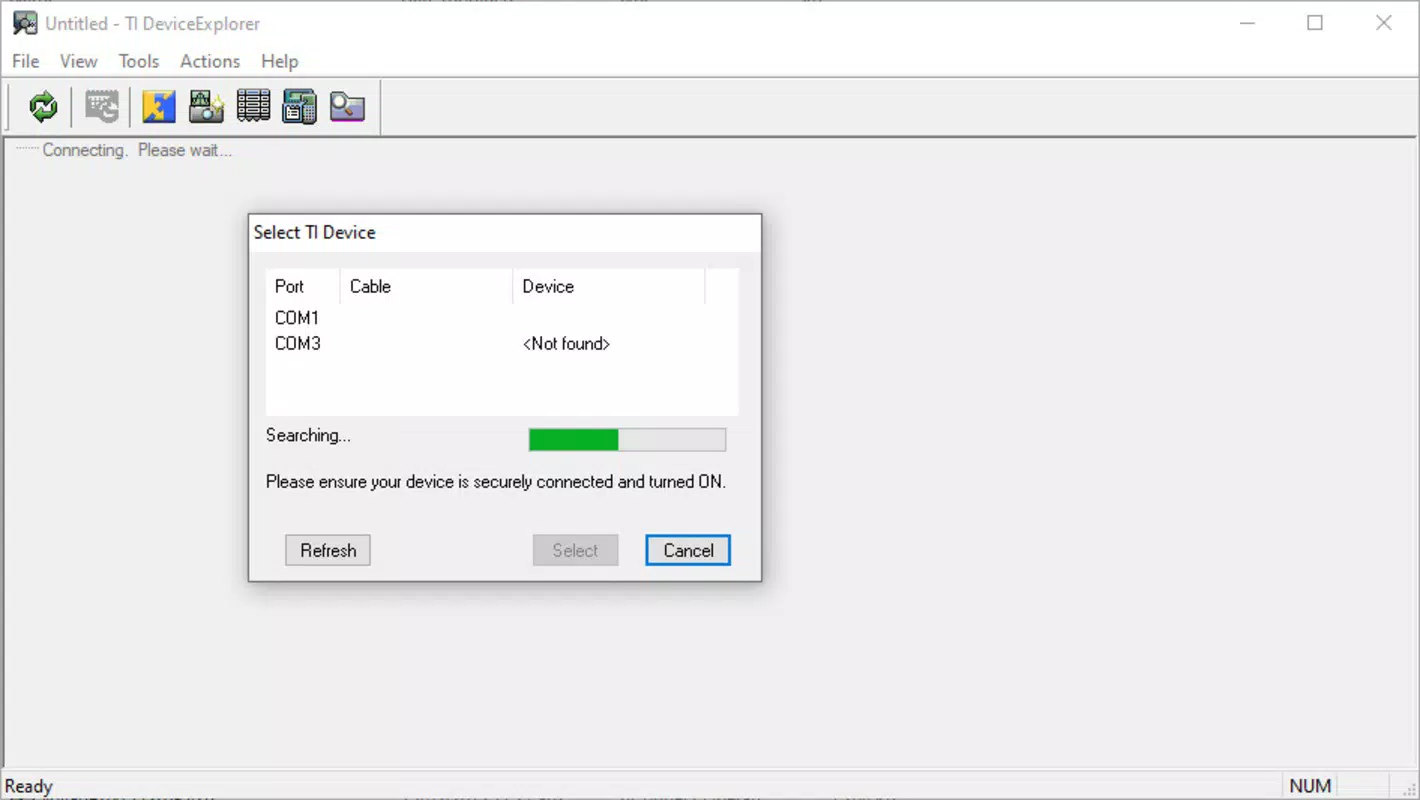
- Automatic Model Detection: When a graphing calculator is connected via the TI-GRAPH LINK USB cable, Ti Connect automatically identifies the device model. This ensures users gain access to model-specific functions and update options without manual configuration.
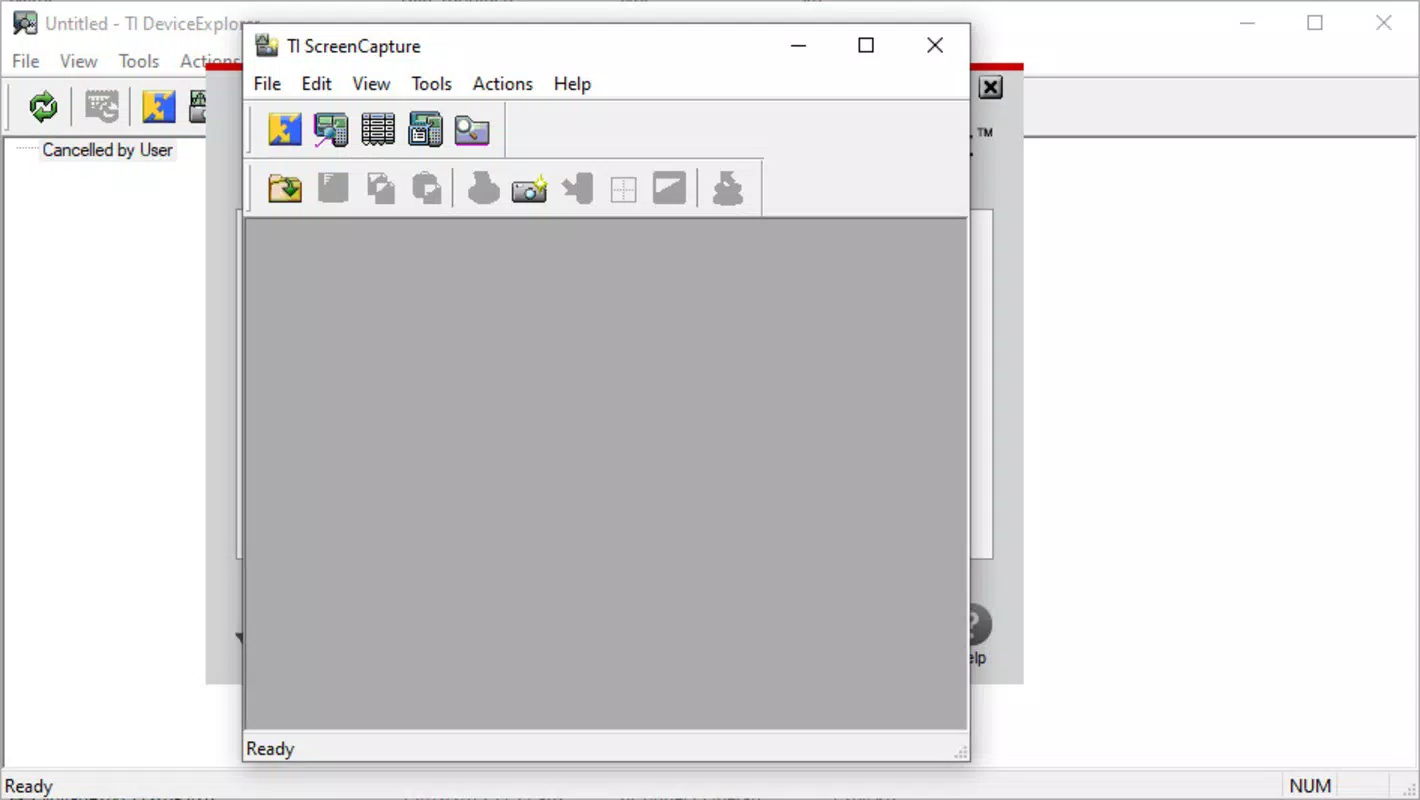
- Screen Capture Functionality: Users can capture the calculator’s screen directly on their PC. This feature simplifies the process of copying graphs, equations, or results into reports, presentations, or digital notes, eliminating the need for manual transcription.
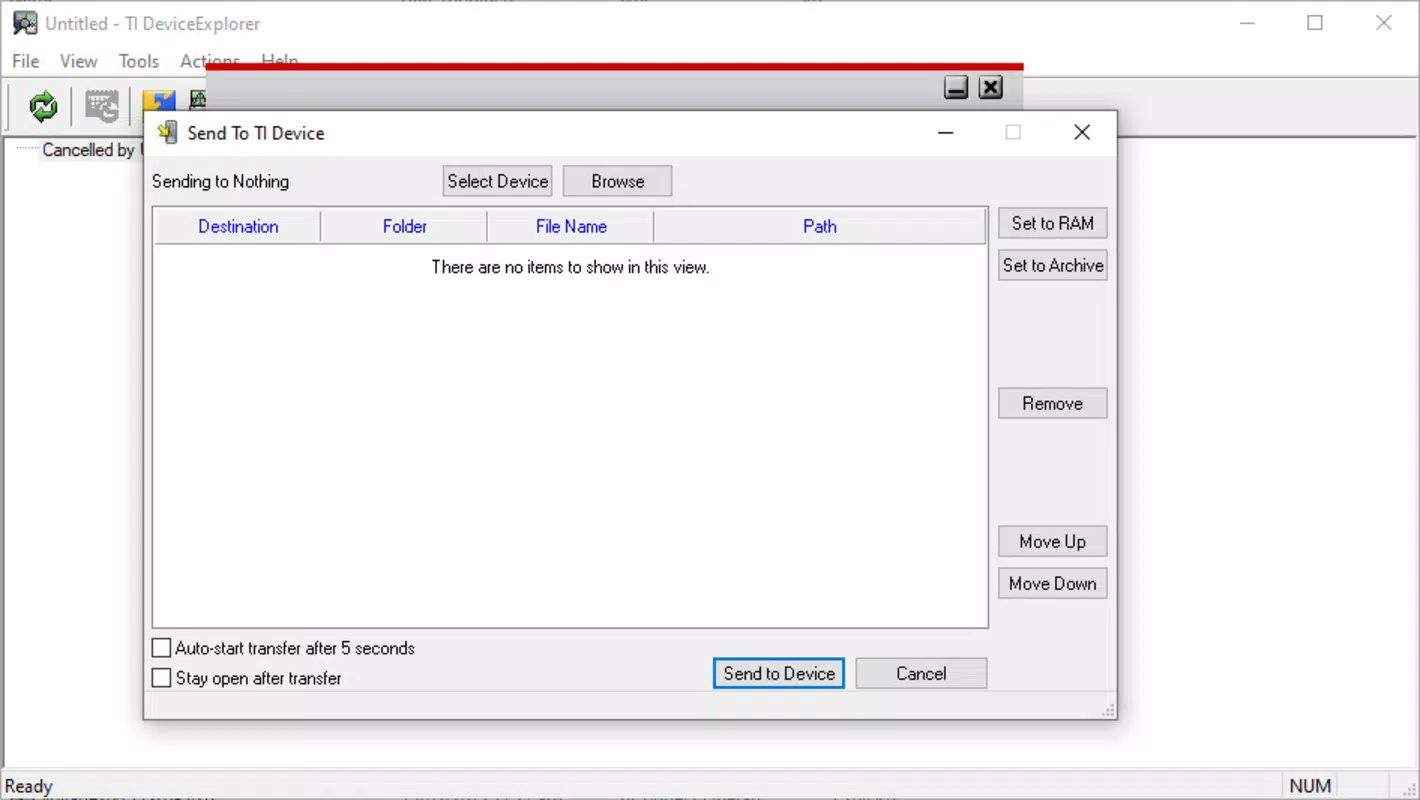
- Drag-and-Drop File Management: The intuitive interface supports drag-and-drop operations for transferring apps, operating systems, and data files between the PC and the calculator. This reduces complexity and enhances efficiency, especially for users managing multiple programs.
- Update and Maintenance Tools: Ti Connect detects available updates for both the calculator’s operating system and installed applications. This helps maintain optimal performance and ensures compatibility with the latest educational standards and software requirements.
- Targeted for Advanced Calculators: The software is specifically designed for graphing calculators, not scientific models. This focus allows for deeper integration with advanced mathematical and graphical functions essential in STEM education and professional applications.
For example, a high school math teacher can use Ti Connect to update multiple student calculators before an exam, capture a complex graph for a lesson plan, and transfer a custom program for classroom use—all within minutes. Similarly, an engineering student can back up project data from their calculator to a PC and share it with a team, maintaining data integrity and saving time.
Интерфейс, UX и производительность
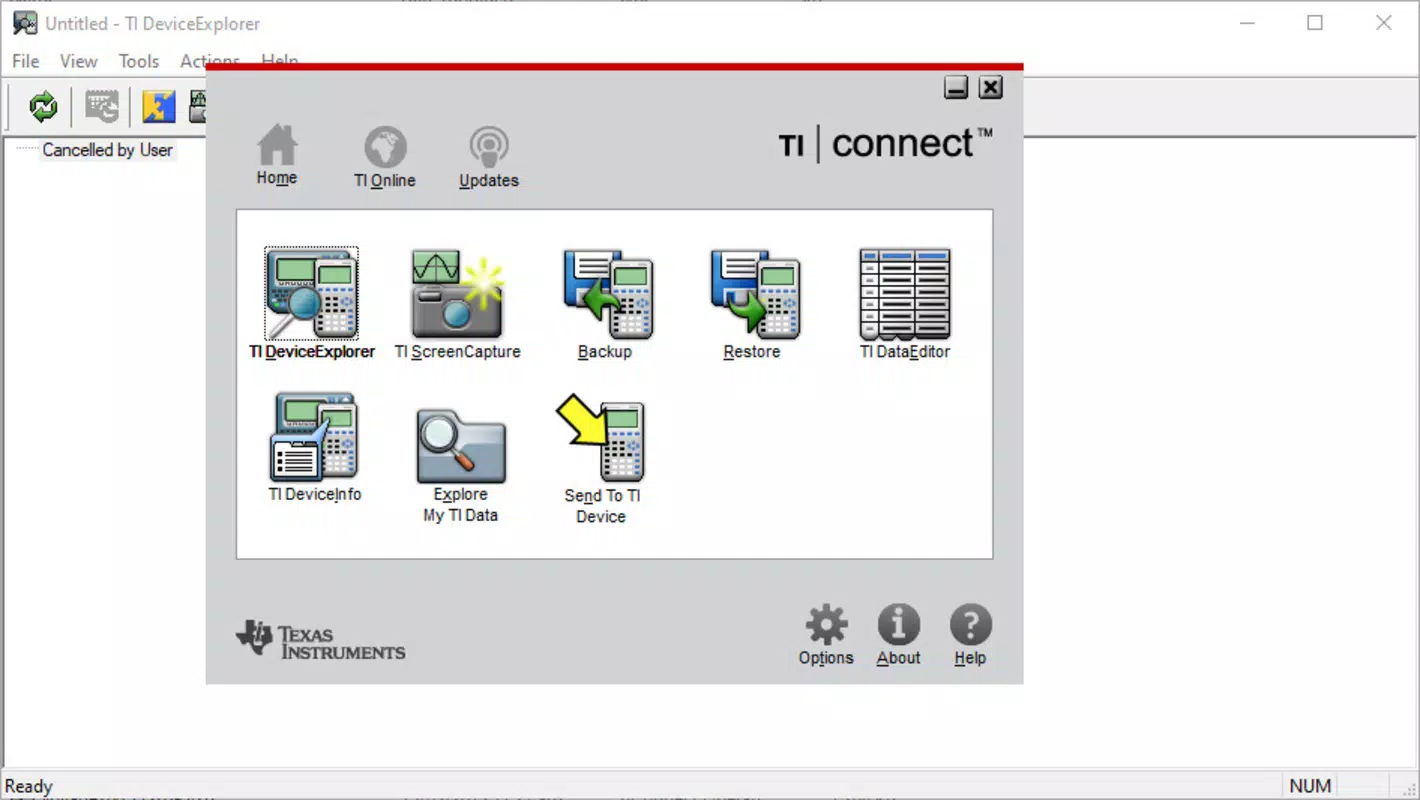
Ti Connect features a clean, functional interface designed with practicality in mind. The layout prioritizes accessibility, with clearly labeled sections for device connection, file transfer, screen capture, and software updates. Navigation is straightforward, guiding users through each step of the process with minimal friction. The drag-and-drop functionality enhances usability, allowing even novice users to manage their calculator’s content with confidence.
Visual style remains consistent with professional software standards—no flashy graphics, but a focused design that emphasizes utility over aesthetics. The application responds promptly to user actions, with minimal lag during file transfers and screen captures. Although the developer did not list formal performance metrics, the software demonstrates stability during typical use cases such as updating firmware or transferring large programs. Performance on different device categories—such as older desktops or modern laptops—has not been officially disclosed. However, the lightweight file size of 32.8 MB suggests efficient resource usage, which may contribute to smooth operation across a range of systems.
Совместимость платформ и технические требования
Ti Connect is available exclusively for the Windows platform. The current version is 1.0.2.1, with a file size of 32.8 MB. The application is distributed free of charge, making it accessible to a wide audience.
While the developer did not specify minimum OS requirements, it is compatible with recent versions of Windows based on typical deployment patterns for similar educational tools. Specific hardware requirements, such as USB port types or memory specifications, were not listed. The absence of detailed technical information means users should ensure their system supports standard USB connectivity and has sufficient storage space for the application and transferred files.
Плюсы и минусы
- Free to download and use, lowering the barrier to entry for students and educators
- Automatic detection of calculator models streamlines setup and reduces user error
- Intuitive drag-and-drop interface enhances efficiency and accessibility
- Screen capture function supports academic documentation and presentation creation
- Regular updates ensure compatibility with new calculator models and software standards
- Available only for Windows, limiting accessibility for macOS and Linux users
- Requires a physical TI-GRAPH LINK USB cable for connection, adding to hardware dependency
- No mobile app version available, restricting on-the-go functionality
- Not compatible with scientific calculators, narrowing its target audience
- Developer did not disclose detailed system requirements, which may cause compatibility uncertainty
Часто задаваемые вопросы
Безопасно ли скачивать и устанавливать Ti Connect?
Yes, Ti Connect is developed by Texas Instruments, a trusted name in educational technology. The software is distributed free of charge and does not include malware or intrusive ads.
Можно ли использовать Ti Connect с любым калькулятором?
No. Ti Connect is designed specifically for graphing calculators that support the TI-GRAPH LINK USB cable. It is not compatible with scientific or non-TI calculators.
Нужно ли платить за использование Ti Connect?
No. The software is completely free to download and use. There are no in-app purchases or subscription fees.
Что нужно для подключения калькулятора к ПК?
You will need a TI-GRAPH LINK USB cable and a compatible Windows PC. The cable is sold separately and is required for all data transfers and updates.
Как часто обновляется Ti Connect?
Updates are released periodically to support new calculator models, fix bugs, and improve compatibility. The latest version is 1.0.2.1, with the release date of 2025-06-03.
Заключительные мысли
Ti Connect stands out as a reliable, no-cost solution for users of graphing calculators who need seamless integration with their PCs. Its core strengths—automatic model detection, screen capture, and intuitive drag-and-drop management—make it an essential tool for anyone involved in STEM education or technical work. While its Windows-only availability and hardware dependency are limitations, the benefits far outweigh these constraints for its intended audience. The software enhances productivity, supports academic rigor, and ensures calculators remain up to date and fully functional. For students preparing for exams, teachers creating lesson materials, and professionals managing complex data, Ti Connect delivers tangible value.
Скачать TI Connect сейчас


